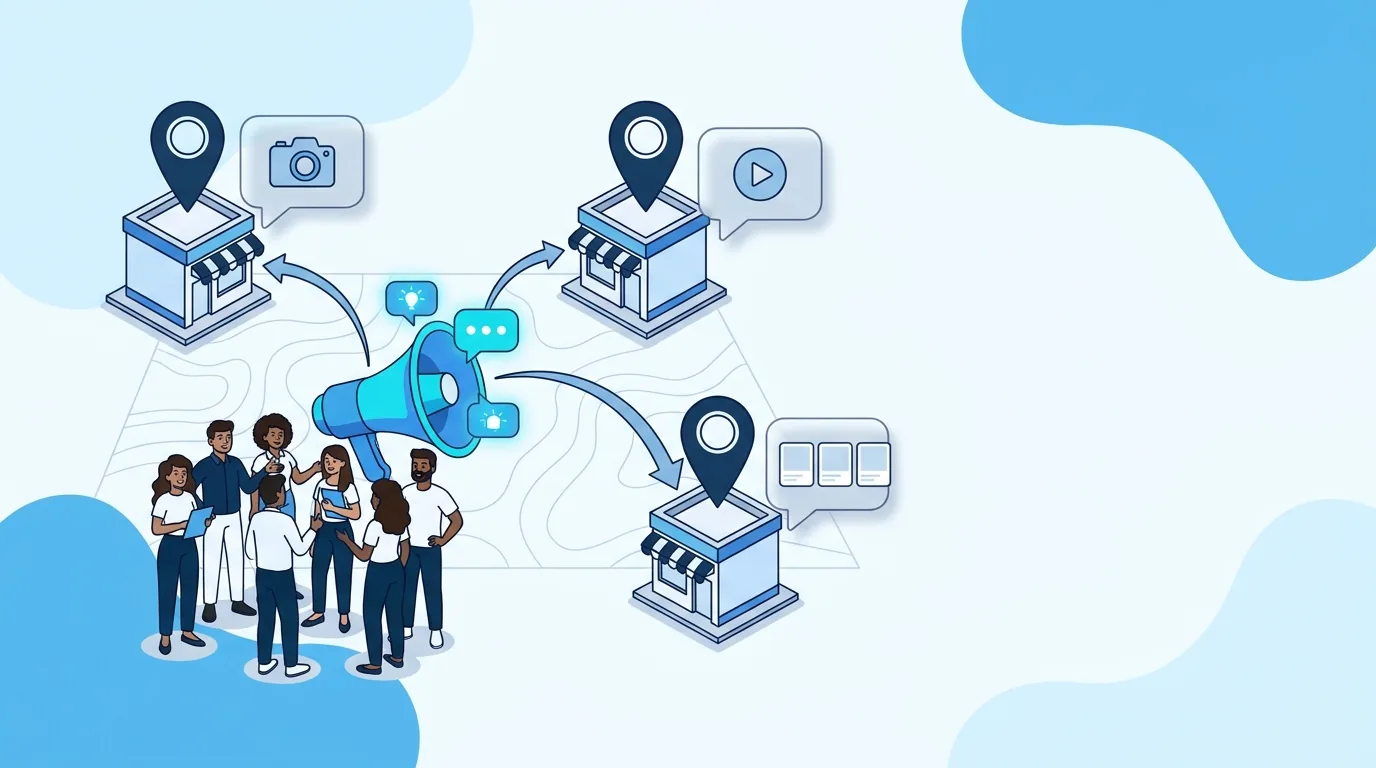

A chain with ten stores can’t send the same message to its entire customer base. The north location has stock of a product that’s sold out downtown, the coastal store opens on Sundays and the one in the capital doesn’t, and the anniversary sale only applies in one city. When everything goes out from a single list, customers get offers they can’t use and stop reading.
WhatsApp marketing for multiple locations fixes that: each store sends campaigns that matter to its own customers, with its stock, its hours and its address, while you keep central control. This guide covers the rules Meta sets, which media formats you can use, how to organize your campaigns step by step and how to compare platforms before you pick one.
Why each location needs its own campaigns
A bulk campaign works when the message is useful to the person who gets it. In a multi-store business, what’s useful depends on the place:
- Local stock. What one store carries isn’t always available at another. Promoting a product a customer can’t find at their branch leads to complaints.
- Local promotions. Clearance sales, openings or events at a single location.
- Hours. Holiday, inventory or seasonal changes that only affect some stores.
- City. Weather, local dates and buying habits differ from one city to the next.
Communicating with customers by location also lifts response rates: people recognize the store they buy from and know where to go and who to message.
Two ways to organize your campaigns
Before choosing a tool, decide how you’ll structure your sends. There are two models, and many businesses use both.
One number per location
Each store has its own WhatsApp line, team and contact list. Campaigns go out from the number customers already know, and replies go straight to that store’s team. This is the usual setup in retail, restaurants, clinics and car dealerships. To run it you need a platform that connects several lines in one account and lets multiple users share WhatsApp without stepping on each other.
One central number segmented by location
The brand sends everything from one line and groups customers with tags or lists (for example, “Downtown store” or “North store”). It’s easier to maintain and keeps the number’s reputation on a single line. The challenge is making sure replies reach the right store, which requires routing rules.
| Model | Works best when | What you need to solve |
|---|---|---|
| One number per location | Each store has its own team and repeat customers | Managing several lines without losing the central view |
| Central number, segmented | The brand runs communication and stores handle service | Tagging every customer correctly and routing replies |
The rules of WhatsApp campaigns
Bulk WhatsApp campaigns follow rules that don’t depend on the platform you choose. Knowing them helps you avoid blocks and rejections:
- Official API. Bulk sending at scale runs on the WhatsApp Business API through a Meta-approved provider. Tools that mimic WhatsApp Web put your number at risk. If you’re unsure which product you need, see WhatsApp vs. WhatsApp Business.
- Opt-in. You can only message customers who agreed to hear from your business on WhatsApp. Keep a record of where and when they gave consent.
- Approved templates. To start a conversation you need a template approved by Meta. Promotions go in the marketing category. Our guide to WhatsApp message templates explains how to write them so they don’t get rejected.
- Messaging limits and number quality. Meta caps how many unique customers you can reach per day and rates each number’s quality based on how users react. If many people block or report you, quality drops and your sends can be restricted.
- 24-hour window. When a customer messages you, a 24-hour window opens in which you can reply with regular, non-template messages. Outside it, you need a template again.
If you’re new to bulk sending, start with our guide to WhatsApp broadcast messages.
Media formats in Meta’s templates
Media messages on WhatsApp usually get more attention than plain text, especially for showing products. These are the formats Meta offers in API templates:
- Header: image, video or document (a PDF, for example).
- Buttons: quick reply (like “Book now”), URL (to the product page or the store’s map location) and call (to the location’s phone).
- Carousel templates: swipeable cards, each with an image or video and its own buttons.
Each format has to meet Meta’s specs, and not every platform supports all of them. If your plan relies on carousels, video and images, ask to see that exact format being built and sent during the demo. Step 5 in the next section shows which format fits each campaign goal.
How to organize your campaigns by location, step by step
With the rules and formats clear, this is the process for moving from one-off sends to a centralized operation where every store has its own campaigns.
1. Build each location’s contact base
Every contact needs three data points: source (which store, form or ad they came from), location tag and opt-in with date and channel. Ask for consent at the point of sale, on the receipt or in the first chat, and tag the contact right then. Fixing tags months later is much harder than getting them right from the start.
2. Segment beyond the store
The location is the first filter, not the only one. Combine it with city (for regional promotions that span several stores), purchase history (what they bought and when) and interests (what they asked about or which campaign they replied to). A list of “North store customers who bought shoes” performs better than “all customers”.
3. Assign teams and permissions
Before you send, decide who answers what each campaign generates. A successful campaign can produce dozens or hundreds of conversations in a few hours, and they should land in a shared inbox and be routed to the right store’s team, with permissions so each location sees only its own conversations and management sees all of them. In Mercately, that’s handled by the routing and team permissions in its multi-number and multi-agent features.
4. Keep a central calendar
The central team owns brand and national campaigns; locations propose their local campaigns and the central team schedules them. The key rule: the same customer shouldn’t get a national and a local campaign in the same week, because too many messages lead to blocks and lower your number’s quality. Here’s an illustrative month:
| Week | Central campaign | Local campaigns |
|---|---|---|
| 1 | Season launch (all stores) | No local sends |
| 2 | No national sends | North store: shoe clearance |
| 3 | No national sends | Downtown store: extended hours; Coast store: opening event |
| 4 | End-of-month reminder (only to people who didn’t reply) | No local sends |
5. Match the format to the goal
- Image: a single promotion or a featured product.
- Video: launches, demos or a tour of a new store.
- Carousel: several products, or offers from several locations in the same city in one message. It’s a Meta template format; confirm your platform supports it before you plan around it.
- Document: catalogs, menus or per-location price lists.
6. Get templates approved in advance
Create your marketing templates before you need them and leave time for Meta’s review and any fixes. It helps to keep base templates with variables (customer name, location, address, hours) that each store reuses instead of creating a new one for every campaign.
7. Measure by location
Track each campaign and each store: deliveries, reads, replies, sales attributed to each location and opt-outs (customers who ask to stop receiving messages). Also watch your number’s quality rating: if it drops after a campaign, review segmentation and frequency before the next send.
Criteria for choosing a WhatsApp marketing platform
These are the criteria that matter most when your goal is managing campaigns across several stores. Use them as a checklist in every demo:
| Criterion | What to ask |
|---|---|
| Official API | Is it a Meta-approved provider? How is my number connected? |
| Multiple numbers or segmentation by location | Can I connect one line per store, or segment with tags and lists? |
| Team permissions | Does each location see only its own conversations and contacts? |
| Media formats | Which headers, buttons and template types can I send? Are carousels supported? |
| Scheduling | Can I schedule campaigns by date and time for each location? |
| Reporting | Can I see deliveries, reads and replies per campaign and per location? |
| Reply handling | Do replies land in a shared inbox and get routed to the store’s team? |
| Costs | What does the platform cost, and how is Meta messaging billed? |
The item teams forget most often is reply handling: if conversations land on a phone nobody checks, or with a central team that doesn’t know what each store has, the campaign is wasted (see step 3).
WhatsApp marketing platforms compared
Several WhatsApp marketing platforms take different approaches. This summary describes each one’s general focus; for location-specific features, media formats and pricing, always confirm on their current plan.
1. Mercately
Mercately is an official Meta partner and a conversational CRM built for Latin American businesses that sell through chat. For multi-store operations it offers:
- Multi-number CRM: several numbers per location, team or campaign in one account, with routing, team permissions and separate reports per number.
- WhatsApp Multi-agent: several agents handle the same line without overlapping.
- Bulk campaigns using Meta-approved templates.
- Chatbots and the AI agent MIA to answer the conversations your campaigns generate, including after hours.
- A shared inbox for WhatsApp, Instagram and Messenger.
- In-chat payments to close the sale in the same conversation.
You can try it free for 15 days, no credit card required. Learn more about Mercately’s multi-number feature.
2. respond.io
An omnichannel conversation management platform with automations and flows for midsize and large teams. Confirm on their plan the support for multiple numbers, location-level permissions and template formats.
3. Callbell
A shared inbox for serving customers on WhatsApp and other channels as a team, focused on support. Confirm on their plan the bulk campaign and per-location reporting features.
4. Kommo
A sales CRM built around messaging, with visual pipelines where each conversation moves forward as a deal. Confirm on their plan the bulk sending and store segmentation options.
5. Leadsales
A CRM for teams that sell on WhatsApp, Instagram and Messenger, with stage-based pipelines. Confirm on their plan how it handles multiple lines and campaigns.
6. HubSpot
A marketing, sales and service suite where WhatsApp is one more channel in its ecosystem. Confirm on their plan which WhatsApp features are included and at which tier.
7. Clientify
An all-in-one marketing and sales platform with CRM and automation. Confirm on their plan how far its WhatsApp integration goes for location campaigns.
| Platform | General focus | Location-level details |
|---|---|---|
| Mercately | Multi-number conversational CRM for LATAM, official Meta partner | Multiple numbers, team permissions and per-number reports |
| respond.io | Omnichannel conversation management | Confirm on their plan |
| Callbell | Multichannel shared inbox | Confirm on their plan |
| Kommo | Messaging-based pipeline CRM | Confirm on their plan |
| Leadsales | Pipeline CRM for messaging | Confirm on their plan |
| HubSpot | Marketing, sales and service suite | Confirm on their plan |
| Clientify | All-in-one marketing and sales | Confirm on their plan |
For a broader comparison, see our roundup of the best WhatsApp CRMs.
What a WhatsApp campaign per location costs
The cost has two parts. The first is the platform subscription (Mercately’s is on its pricing page). The second is Meta messaging: Meta charges for each delivered message based on the template category and the customer’s country, and marketing templates are charged.
Since October 1, 2026, Meta also charges for replies within the 24-hour window, so don’t assume the conversations your campaign generates are free. To estimate what you’ll spend based on each location’s volume, use the WhatsApp API pricing calculator.
A practical note: good segmentation doesn’t just improve response rates, it also cuts spend, because you stop paying for messages customers were never going to act on.
Best practices for location campaigns
On top of the seven steps, three habits make a difference:
- Personalize with the location name. The store’s name, address and hours make the message feel local even when it comes from a central template.
- Brief the team before you send. Tell each store which campaign is going out and when, with ready answers for the most common questions. A chatbot or AI agent can handle first contact.
- Test with one location before scaling. Launch a new campaign in one store, check replies and opt-outs, then roll it out to the rest.
How to get started
First pick your model (one number per location, one central segmented number, or a mix), follow the seven organizing steps and score each platform with the criteria table. In every demo, ask to see a real send using the media format you plan to use, and how replies reach the store’s team.
To see how it works in Mercately, book a demo or create your account and try it free for 15 days, no credit card required.