
Selling to businesses over WhatsApp is nothing like selling to consumers. A deal can take three months, pass through five people on the customer’s side and two reps on yours. Quotes change, someone approves a discount in a chat, and a purchasing manager messages the support line because that’s the number they had saved. When all of that lives on personal phones, the company has no idea what was promised or to whom.
A B2B WhatsApp CRM solves this, as long as it meets a few criteria that general roundups rarely look at. In this guide we cover what changes when you sell B2B over WhatsApp, which criteria to use when evaluating tools and how seven well-known options compare.
If you sell to consumers, check our general roundup of WhatsApp CRMs instead. Here we focus on teams that sell to other companies.
What changes when you sell B2B over WhatsApp
Long cycles and several conversations per account
In B2B you rarely close in the first conversation. There’s an initial inquiry, a meeting, a quote, revisions, the customer’s internal approval and sometimes a trial. Days or weeks can pass between steps. If your CRM has no reminders or stages that match that pace, deals go cold without anyone noticing.
Several contacts per customer
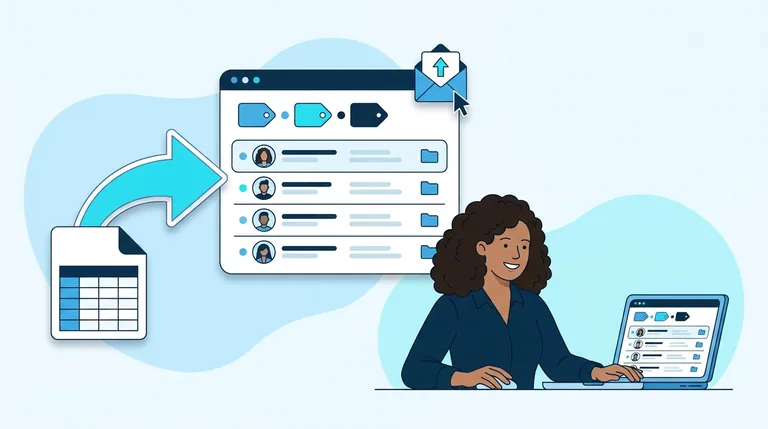
On the other side there isn’t one person but a team: the buyer who asks for the quote, the manager who decides, someone in finance asking about the invoice and a user who later needs support. Each of them writes from their own WhatsApp. You need the history of every contact and a way to tell, through tags or fields you define, which company they belong to.
Several lines on your side
Most companies run more than one number: sales, support, collections, one line per region or one per rep. The trouble starts when each line lives on a different phone. You need every line in one account with clear team permissions. Our guide on multiple users on WhatsApp covers how teams share access without sharing a phone.
Quotes and negotiation
In B2B the price is almost always negotiated. The quote you sent on Tuesday, the discounted version on Thursday and the customer’s “OK, let’s go ahead” all need to sit in the same history. Otherwise tomorrow’s conversation with finance turns into a hunt for screenshots.
Handing over accounts when a rep leaves
This is the part that hurts most. If a rep serves customers from a personal phone and quits, they take the number, the conversations and the relationship with them. The B2B rule is simple: the number and the history belong to the company, not to the rep’s phone. With a CRM connected to the official API, you reassign the contacts and the new owner sees everything that happened.
Traceability and integration
Who replied, when, what was quoted, who approved the discount, who the conversation was transferred to. In B2B sales this matters for resolving disputes, for audits and for coaching the team. And since orders, invoices and inventory usually live in an ERP or another CRM, your WhatsApp tool has to connect to them without creating duplicate records.
Criteria for evaluating a B2B WhatsApp CRM
We already covered the general criteria (official API, multi-agent inbox, automation, cost), with a scoring matrix, in our guide to choosing a WhatsApp-integrated CRM. This table adds what’s specific to B2B sales:
| Criterion | What to check in the demo | Why it matters in B2B |
|---|---|---|
| Line centralization | Can you connect sales, support, collections and regional lines in one account, with team permissions? | No more isolated lines on personal phones |
| Unified history | Can you see a contact’s full conversation even after several agents handled it? How do you group contacts from the same company? | Several people per customer and long cycles |
| Traceability | Are assignments, transfers and internal notes recorded? | Knowing who said what and when |
| Pipeline with long stages | Can you create your own stages and follow-up reminders? | Deals that last weeks |
| Quotes | Can you send quotes from the chat and keep them in the history? | Negotiation is part of the sale |
| Team permissions | Does each team see only its own lines and contacts? Can a supervisor see everything? | Control and confidentiality |
| Integrations and API | Does it offer an API and webhooks or connectors for your ERP or main CRM? | No double data entry |
| Post-sale in the same history | Do support and collections see what was sold and what was promised? | In B2B the relationship continues after the deal closes |
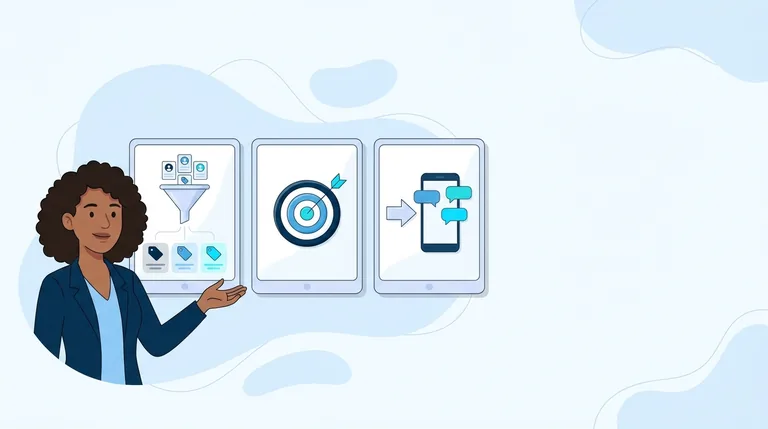
| Automated qualification | Can a bot or AI agent ask the first questions and hand the lead to a person? | Reps spend their time on real accounts |
A practical tip: bring a real case from your company to the demo, with three contacts from the same customer, two lines and a handover between reps. Ask the vendor to walk you through that entire flow.
7 B2B WhatsApp CRMs compared
The table below summarizes where each tool stands. We don’t make up details about competitors: features and terms vary by plan, so confirm each point with the vendor.
| Tool | Multiple lines | History | Traceability | Best for |
|---|---|---|---|---|
| Mercately | Yes, multi-number CRM with permissions and per-number reports | Per contact, across WhatsApp, Instagram and Messenger | Automatic assignment, transfers and internal notes | B2B teams in Latin America that sell and support over chat |
| HubSpot | Check their plan | Inside the HubSpot contact record | Check their plan | Companies already using HubSpot for marketing and sales |
| Salesforce | Check their plan | Inside the Salesforce ecosystem | Check their plan | Large companies with a technical team or implementation partner |
| Zoho CRM | Check their plan | Inside Zoho CRM | Check their plan | Companies using other Zoho apps |
| Kommo | Check their plan | Tied to deals in the pipeline | Check their plan | Sales teams built around chat pipelines |
| respond.io | Check their plan | Omnichannel inbox | Check their plan | High-volume operations across several channels |
| Leadsales | Check their plan | Tied to the messaging pipeline | Check their plan | Latin American SMBs running messaging pipelines |
1. Mercately
Mercately is an official Meta partner and a conversational CRM built for teams that sell over WhatsApp, Instagram and Messenger in Latin America. One account brings together the multi-number CRM, the multi-agent inbox, the CRM with pipelines, PDF quotes, payment links and the AI agent MIA. Further down we show in detail how it applies to B2B sales.
Keep in mind: if you need a native connector for a specific ERP, the integration runs through the REST API and webhooks, so plan for technical help.
2. HubSpot
A marketing, sales and service suite where WhatsApp is one more channel. If your team already works in HubSpot, having conversations on the same contact record is a clear advantage. Keep in mind: check their plan for which tier includes WhatsApp, how many numbers you can connect and how transfers between users are logged.
3. Salesforce
The most widely used enterprise CRM, with deep customization for complex B2B processes. Keep in mind: implementation usually requires a technical team or a partner. Check their plan for how WhatsApp connects and which add-on products you need.
4. Zoho CRM
A configurable CRM inside a modular suite of business apps. A good fit if you already use other Zoho tools. Keep in mind: check their plan for how WhatsApp is integrated (natively or through a third-party provider) and how long setup takes.
5. Kommo
A sales CRM built around messaging, with visual pipelines where each conversation moves forward as a deal. Keep in mind: check their plan for how it handles multiple lines, team permissions and which features require add-ons.
6. respond.io
An omnichannel conversation management platform with flows and automations for mid-size and large teams. Keep in mind: its focus is conversation management more than the B2B pipeline. Check their plan for how you manage deals, quotes and the integration with your main CRM.
7. Leadsales
A pipeline CRM for teams that sell over WhatsApp, Instagram and Messenger, aimed at small and midsize businesses in the region. Keep in mind: check their plan for how multiple lines, transfer traceability and integrations work.
How Mercately centralizes your lines and keeps the B2B history
If your main problem is that lines and conversations are scattered, this is the setup you can build in Mercately.
Every company line in one account
With the multi-number CRM you connect sales, support, collections and your regional or per-rep lines to the same account. Each conversation comes in through its line and is routed to the right team. Team permissions decide who sees what, and per-number reports show how each line performs. Supervisors no longer need to ask for screenshots to find out what happened.
A history that stays with the company
Every contact has a complete conversation history, no matter how many agents handled it. When a rep leaves or an account changes hands, you reassign the contacts and the new rep sees everything: the messages, the quotes that were sent and the internal notes their colleague left. With WhatsApp Multi-agent, automatic assignment distributes new conversations and transfers between agents keep the context. Tags let you mark each contact’s company, region or role so you can find everyone from the same customer.
Follow-up across long cycles
In the CRM you build pipelines with the stages of your B2B process and set reminders so no deal stalls between one meeting and the next. PDF quotes go out from the chat and stay in the history, and so do payment links when it’s time to collect. Our guide to PDF quotes on WhatsApp with Mercately walks through the process. If a negotiation needs a voice conversation, you can make WhatsApp calls from the platform.
Post-sale support in the same history
Once the customer has bought, support and collections work from their own lines but see the same contact history. They know what was sold, what was promised and what was quoted without asking the rep. Campaigns with approved templates handle renewal notices or scheduled follow-ups.
MIA for first contact
MIA, Mercately’s AI agent, handles the first messages, asks the qualification questions you define and hands the conversation to a person when the lead meets your criteria. The rep receives the contact with the information already logged.
To connect all of this to your ERP or another CRM, Mercately offers a REST API and webhooks. You also get Shopify and WooCommerce integrations, an inbox that includes Instagram and Messenger, and a mobile app. You can try it free for 15 days, no credit card required.
How to implement a B2B WhatsApp CRM
Choosing the tool is half the work. These practices are what make it work in a B2B operation:
- One line per function. Separate sales, support and collections, and add regional lines if your volume justifies it. Customers know where to write and you know which team answers.
- The golden rule: the number belongs to the company. No rep serves customers from a personal WhatsApp. Put it in your sales policy and in the onboarding process for every new hire.
- Naming conventions. Decide how contacts are named (for example, “First Last, Company, Title”) and which tags you use for company, region and role. That way you can filter every contact from one customer even when they write to different lines.
- Mandatory internal notes at key moments. After every quote, discount or agreement, the rep leaves an internal note. That’s what makes a clean handover and an audit possible without relying on anyone’s memory.
- Stages that match your real cycle. For example: qualified, meeting, quote sent, negotiation, customer approval, won or lost. Add automatic reminders to the stages where deals tend to stall.
- Automated qualification up front. Use a chatbot or AI agent to ask about company size, need and timeline before passing the lead to a rep. To organize the rest of the process, see our guide to sales automation.
- A weekly pipeline review. A short meeting where each rep goes over open deals, the ones with no follow-up in more than a week and quotes with no reply.
On costs: on top of the CRM subscription, Meta charges per delivered message based on the message category and the customer’s country, with changes in effect since October 1, 2026. To estimate your spend, use the WhatsApp API pricing calculator and review Mercately’s plans.
Conclusion
In B2B, a WhatsApp CRM isn’t measured by how fast it replies to one shopper but by how much control it gives you over accounts that last months and pass through many hands. Prioritize line centralization, a complete history per contact, traceability for every assignment and note, and a clear way to connect your ERP or main CRM.
If you want to see how this setup works with your own lines and teams, book a Mercately demo or try the platform free for 15 days, no credit card required.